


I would like to thank Tranquil PC for supplying the review sample.

There is not much to say about a NUC chassis. Considering its very specific shape and the dimension of the boards, which Intel offers directly, any case manufacturer is able to produce a passive chassis for specific NUC board versions. We have the pleasure of taking a look at the "NUC - YE (GBE LAN board D33217GKE)" variant. It will be compared to the Intel retail chassis with active cooling and the Akasa NUC case variant.


Tranquil PC is known for producing excellent enclosures, not for designing fancy packaging, or a fancy website for that matter, which is quite alright as what counts at the end of the day is not how pretty the box looks. The Tranquil PC NUC Case then ships in a plain white package. Two small foam bits hold the unit in place and protect it during shipping. We actually received the entire package inside a brown cardboard box, so you should as well; that is, if you decide to order one from Tranquill.


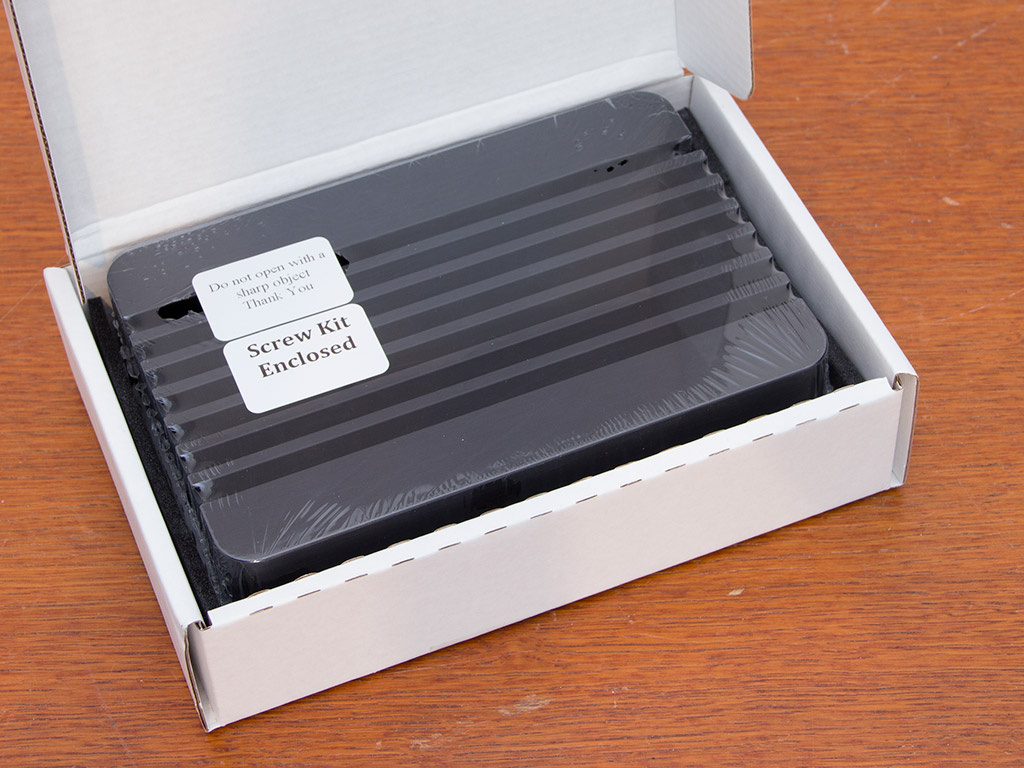
The enclosure itself is shrink wrapped in a thin layer of plastic. Stickers on the unit warn users not to use sharp objects to get past the wrapping—with a little "thank you" at the end. Another sticker points out that the few pieces one needs to put a NUC board inside the chassis have been placed within the case.


You will find a rolled up bag full of content within the chassis. It consists of the power/LED lead, a small tube of thermal paste, and all-black screws for mounting the motherboard within the Tranquil PC NUC chassis.


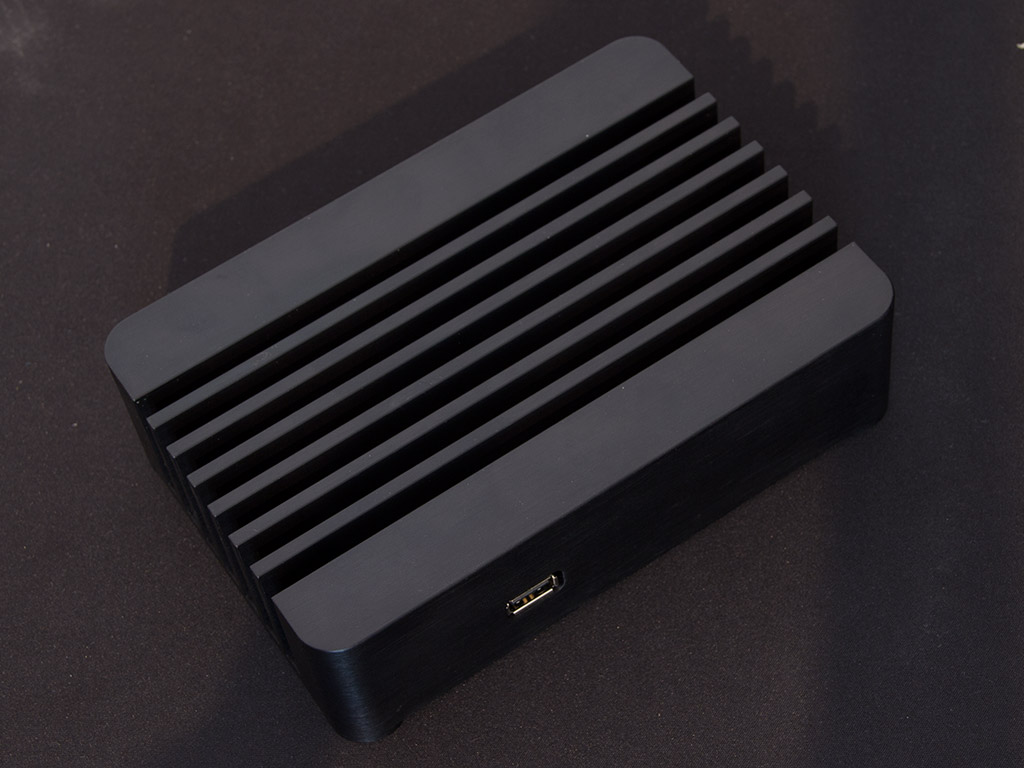
It looks like the Tranquil PC NUC chassis is cut out of a solid piece of aluminum and is, according to the company, then hand-polished before it is anodized. The chassis is quite heavy and strays a bit from the traditional 4x4 inch size. It is a bit wider but not much deeper to ensure there is enough material to cool all interior components properly without requiring a fan, unlike the Intel case itself. A panel on the underside of the Tranquil NUC protects the interior and all to-be-installed components. Four little feet, part of this block of aluminum, are also part of the overall design.


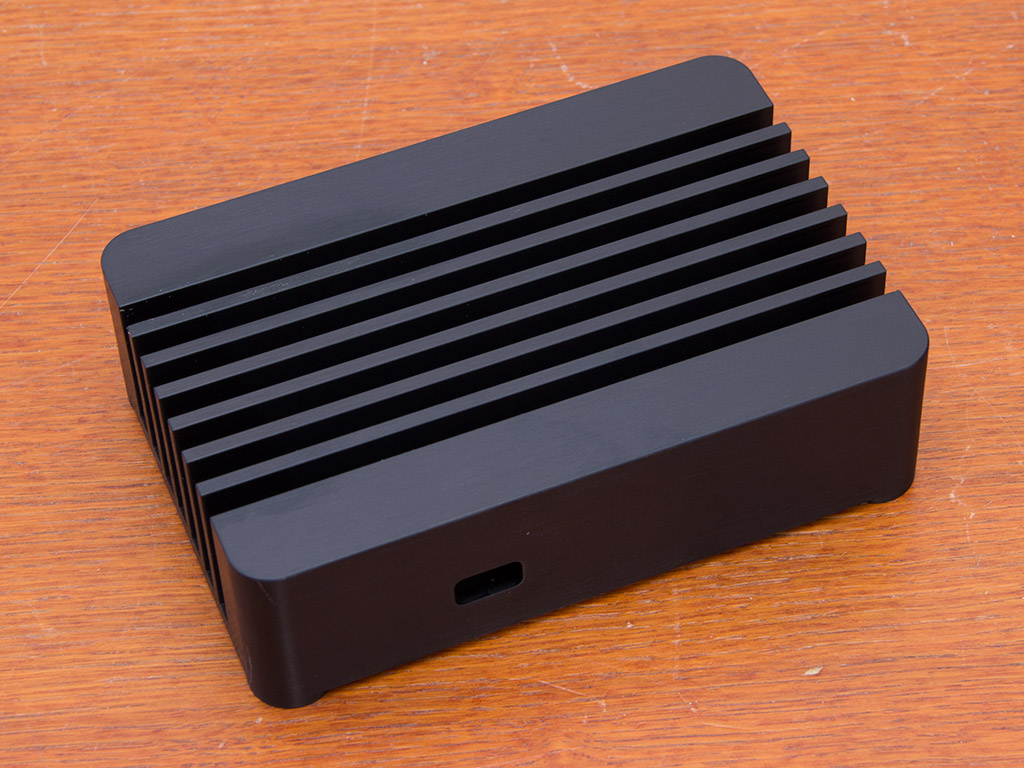
You will not find any LEDs or buttons in the front. There is only a single hole for the Intel 3rd generation i3-based NUC's default USB 2.0 I/O. Both sides are identical, but this particular angle nicely shows what Tranquil PC has done to passive cool everything: The chassis is essentially shaped like a big heatsink that wraps around the board.
You have all the default openings for the D33217GKE board in the rear. These consists of two USB 2.0, two HDMI, and a Gigabit network plug with its power lead; on the left is another opening for a WiFi SMA connector. This gives you the ability to retain any wireless connectivity as long as you can get your hands on a little adapter and antenna. A larger, circular hole on the right is for the power button/LED combo.


To gain access to the interior, simply place the Tranquil PC NUC chassis on its top and remove the four screws. The interior is quite simple as there is no actual functionality built into the case itself. There are only two square bumps, which are there to make contact with the CPU and chipset of the NUC board.


Place the four spacers on each of the corners and apply thermal paste to both components before installing and screwing the motherboard down. We removed the board after assembly to ensure good contact between the CPU/chipset and both bumps within the chassis. As you can see, all is well.

Once the board is in place, simply install the additional components of your choice. These are the exact same parts we used in our initial Intel NUC review, so temperature measurements will be comparable.


We did notice that the connectors within the Tranquil PC chassis are recessed quite far. While this caused no issues, it did keep some HDMI cables from connecting well and all the way, which resulted in slightly looser cables. Installing the power button also takes quite a bit of force and effort as there is very little space and the cables keep turning, but everything panned out in the end, and there was no damage done to either the board or the cables. This lead is then plugged into the standard header found on the NUC board.


With everything in place, we put the bottom cover back over the opening and used the included screws to secure it, which left the chassis without any moving parts, or openings. The only tell-tale sign of the system inside operating is a blue LED in the back of the device. The Tranquil PC NUC case also ensures absolute silence as there is no fan inside.


The Tranquil PC chassis manages to impress with a much lower idle temperature across the board. With a difference of 9° Celsius, the CPU runs much cooler while sitting idle at the desktop. When the NUC's processor is pushed to 100%, the gap even grows to a full 11°, which is right in line with what Tranquil PC advertises.


The same goes for the GPU, which tends to get extremely hot with Intel's stock cooling solution. In idle, the Tranquil PC chassis manages to keep the graphic chip 10°C cooler, while there is a huge difference of 17°C under load as the chassis manages to keep the unit at 72° instead of 89°C.


Under idle, the difference on the motherboard sensor is not as big, with a 7°C cooler environment when the Tranquil PC chassis is used. But when all the components inside the compact chassis are put under load, the overall temperature difference rises to 14°C in favor of the Tranquil PC NUC chassis.


Even the Intel 525 SSD benefits from better cooling; that is, under load. The temperature difference is marginal when everything is just sitting there, but we once again see a 11°C difference under load. While the SSD does get warm, most of the heat is due to the hotter components around it, as its temperatures are in line with those of both CPU and GPU.
Source
There is not much to say about a NUC chassis. Considering its very specific shape and the dimension of the boards, which Intel offers directly, any case manufacturer is able to produce a passive chassis for specific NUC board versions. We have the pleasure of taking a look at the "NUC - YE (GBE LAN board D33217GKE)" variant. It will be compared to the Intel retail chassis with active cooling and the Akasa NUC case variant.
Packaging
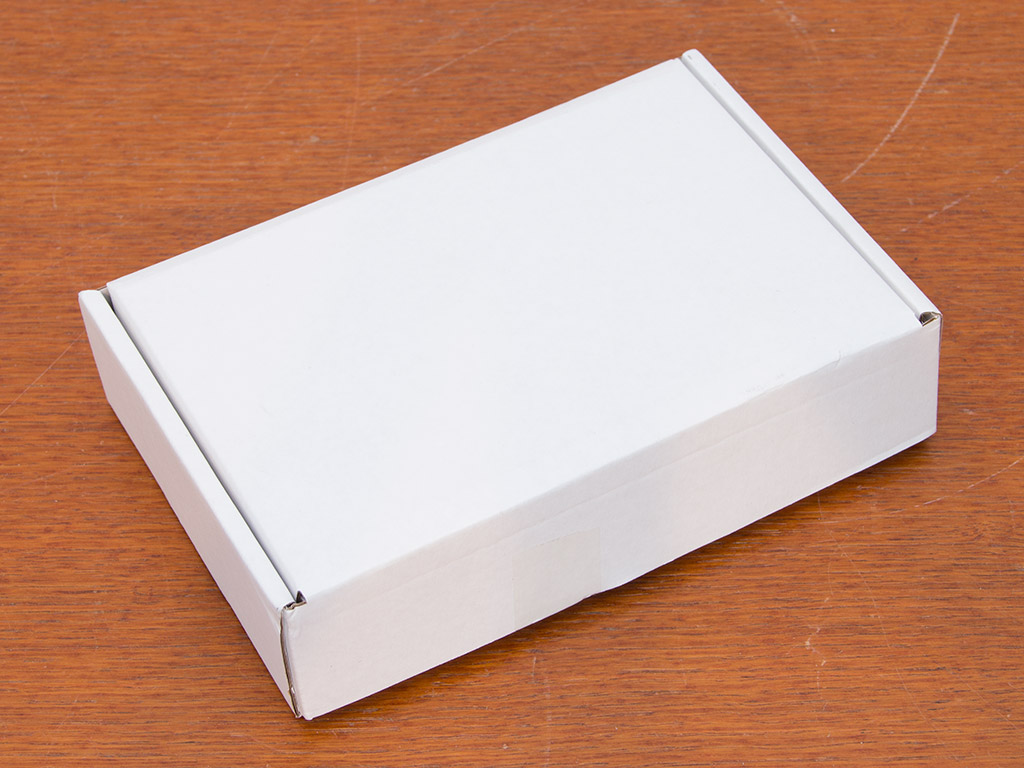
Tranquil PC is known for producing excellent enclosures, not for designing fancy packaging, or a fancy website for that matter, which is quite alright as what counts at the end of the day is not how pretty the box looks. The Tranquil PC NUC Case then ships in a plain white package. Two small foam bits hold the unit in place and protect it during shipping. We actually received the entire package inside a brown cardboard box, so you should as well; that is, if you decide to order one from Tranquill.


The enclosure itself is shrink wrapped in a thin layer of plastic. Stickers on the unit warn users not to use sharp objects to get past the wrapping—with a little "thank you" at the end. Another sticker points out that the few pieces one needs to put a NUC board inside the chassis have been placed within the case.
Contents

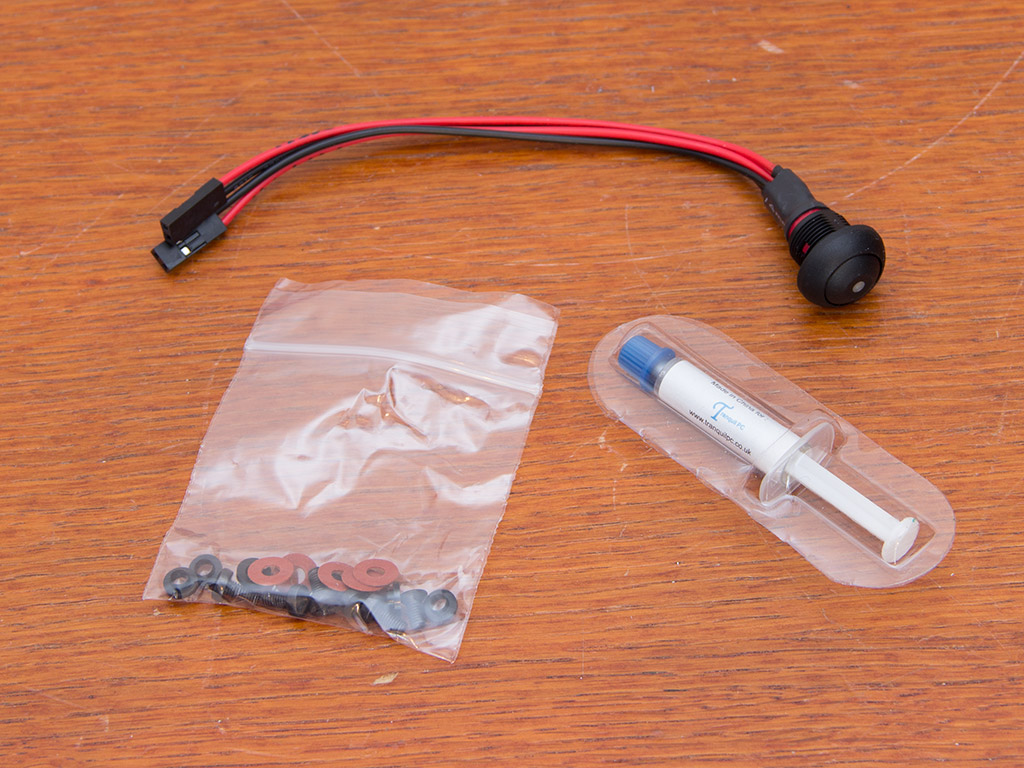
You will find a rolled up bag full of content within the chassis. It consists of the power/LED lead, a small tube of thermal paste, and all-black screws for mounting the motherboard within the Tranquil PC NUC chassis.
A Closer Look - Outside
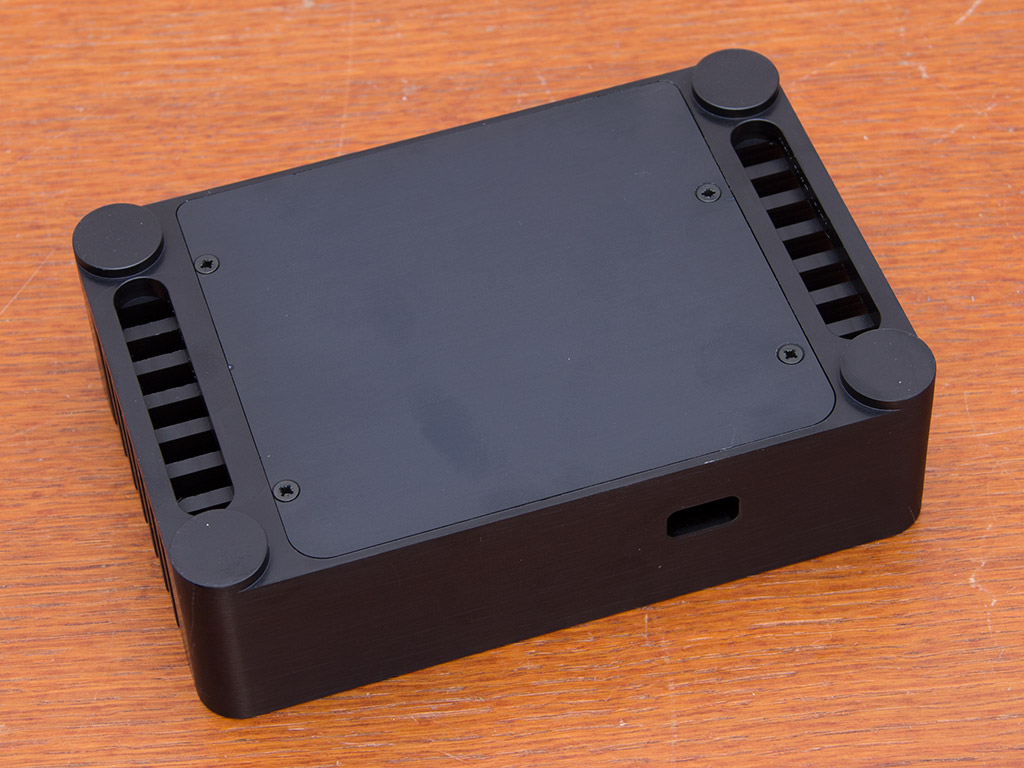
It looks like the Tranquil PC NUC chassis is cut out of a solid piece of aluminum and is, according to the company, then hand-polished before it is anodized. The chassis is quite heavy and strays a bit from the traditional 4x4 inch size. It is a bit wider but not much deeper to ensure there is enough material to cool all interior components properly without requiring a fan, unlike the Intel case itself. A panel on the underside of the Tranquil NUC protects the interior and all to-be-installed components. Four little feet, part of this block of aluminum, are also part of the overall design.
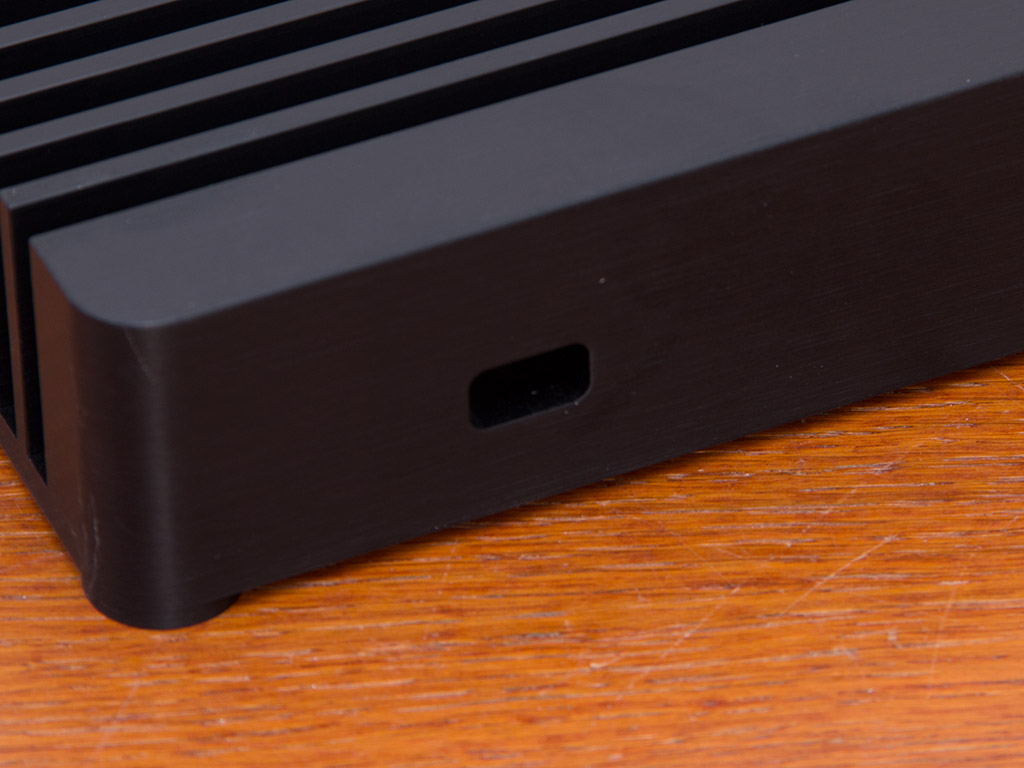


You will not find any LEDs or buttons in the front. There is only a single hole for the Intel 3rd generation i3-based NUC's default USB 2.0 I/O. Both sides are identical, but this particular angle nicely shows what Tranquil PC has done to passive cool everything: The chassis is essentially shaped like a big heatsink that wraps around the board.
You have all the default openings for the D33217GKE board in the rear. These consists of two USB 2.0, two HDMI, and a Gigabit network plug with its power lead; on the left is another opening for a WiFi SMA connector. This gives you the ability to retain any wireless connectivity as long as you can get your hands on a little adapter and antenna. A larger, circular hole on the right is for the power button/LED combo.
A Closer Look - Inside


To gain access to the interior, simply place the Tranquil PC NUC chassis on its top and remove the four screws. The interior is quite simple as there is no actual functionality built into the case itself. There are only two square bumps, which are there to make contact with the CPU and chipset of the NUC board.
Assembly


Place the four spacers on each of the corners and apply thermal paste to both components before installing and screwing the motherboard down. We removed the board after assembly to ensure good contact between the CPU/chipset and both bumps within the chassis. As you can see, all is well.

Once the board is in place, simply install the additional components of your choice. These are the exact same parts we used in our initial Intel NUC review, so temperature measurements will be comparable.
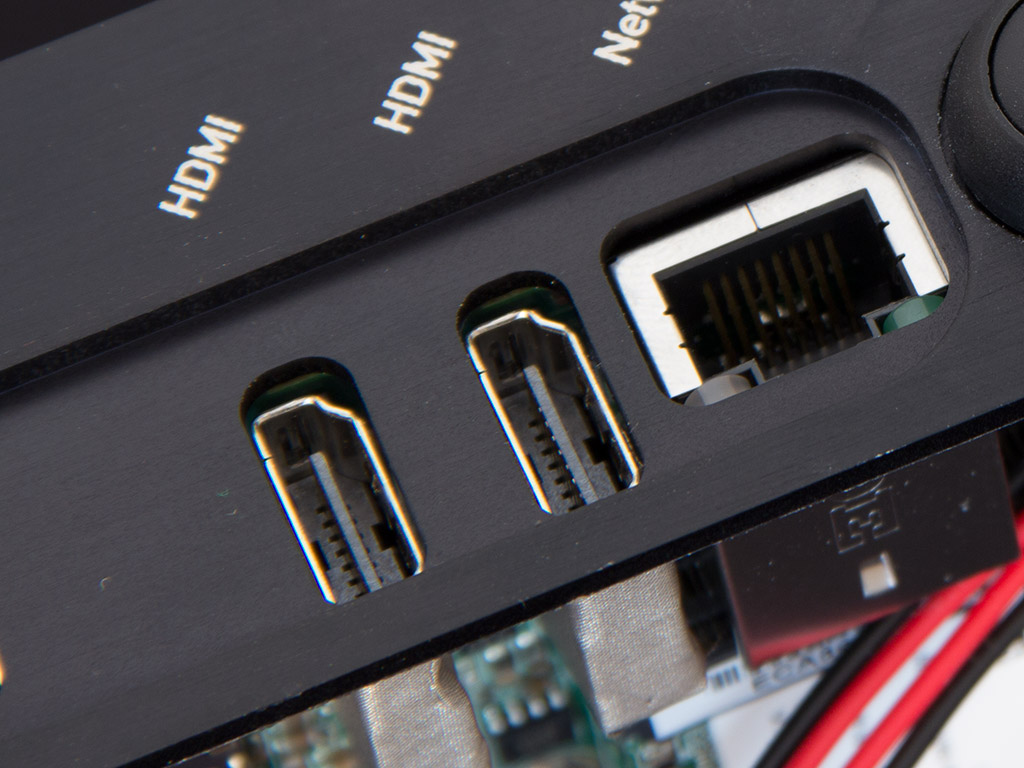

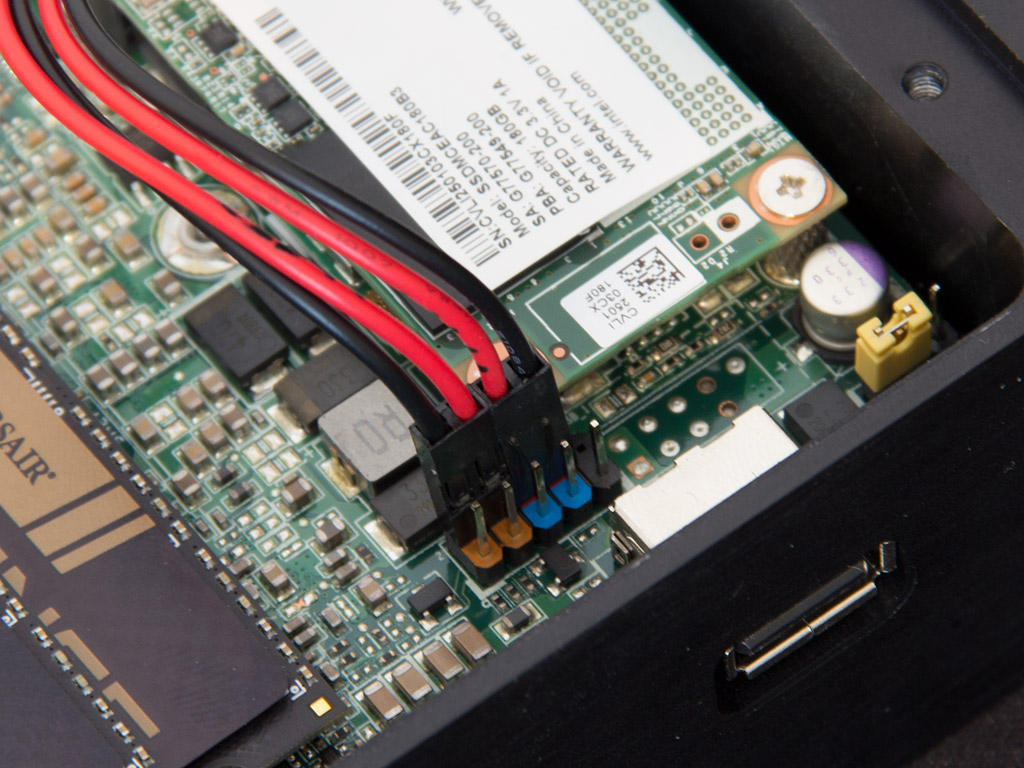
We did notice that the connectors within the Tranquil PC chassis are recessed quite far. While this caused no issues, it did keep some HDMI cables from connecting well and all the way, which resulted in slightly looser cables. Installing the power button also takes quite a bit of force and effort as there is very little space and the cables keep turning, but everything panned out in the end, and there was no damage done to either the board or the cables. This lead is then plugged into the standard header found on the NUC board.
Finished Looks
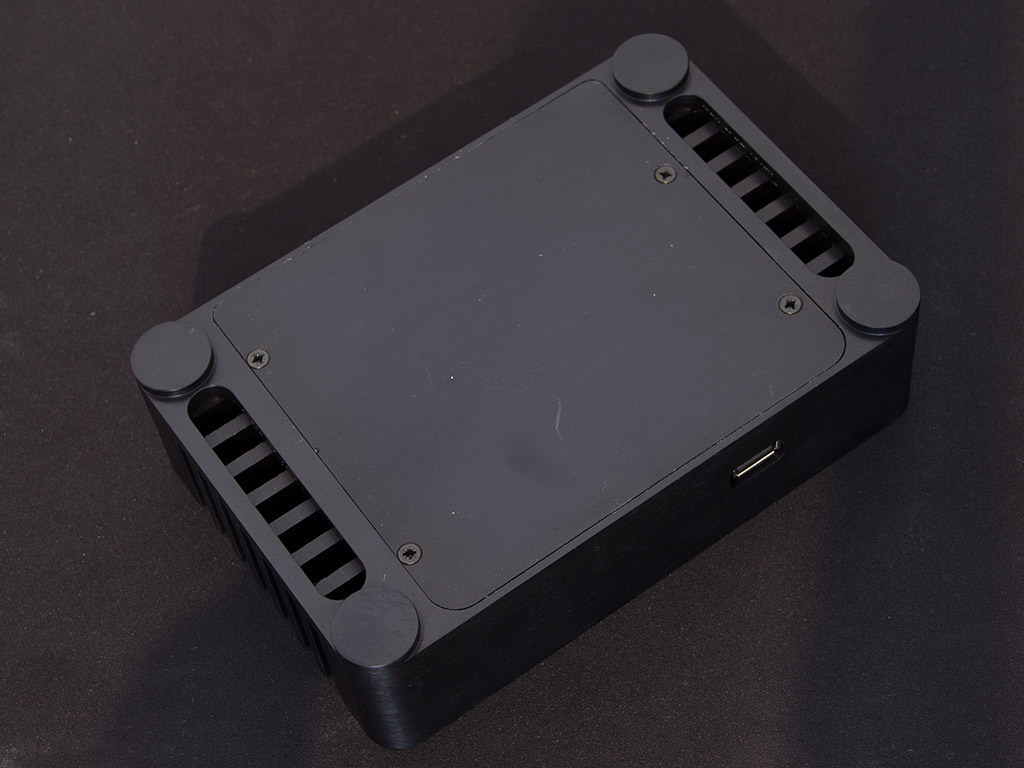

With everything in place, we put the bottom cover back over the opening and used the included screws to secure it, which left the chassis without any moving parts, or openings. The only tell-tale sign of the system inside operating is a blue LED in the back of the device. The Tranquil PC NUC case also ensures absolute silence as there is no fan inside.
Temperatures
Tranquil PC advertises their passive NUC chassis as a means of achieving better cooling results than Intel's stock unit, which includes a fan. We checked both idle and thermal results under load. Idle numbers were collected after the unit was left to sit at the windows desktop on a default Windows7 installation for thirty minutes. The system was then put under load by creating 100% load on the CPU, using FurMark for the GPU and benchmarking the SSD all at the same time. The latter test was run for 30 minutes as well and all the numbers were, once again, recorded. The Tranquil PC chassis manages to impress with a much lower idle temperature across the board. With a difference of 9° Celsius, the CPU runs much cooler while sitting idle at the desktop. When the NUC's processor is pushed to 100%, the gap even grows to a full 11°, which is right in line with what Tranquil PC advertises.
The same goes for the GPU, which tends to get extremely hot with Intel's stock cooling solution. In idle, the Tranquil PC chassis manages to keep the graphic chip 10°C cooler, while there is a huge difference of 17°C under load as the chassis manages to keep the unit at 72° instead of 89°C.
Under idle, the difference on the motherboard sensor is not as big, with a 7°C cooler environment when the Tranquil PC chassis is used. But when all the components inside the compact chassis are put under load, the overall temperature difference rises to 14°C in favor of the Tranquil PC NUC chassis.
Even the Intel 525 SSD benefits from better cooling; that is, under load. The temperature difference is marginal when everything is just sitting there, but we once again see a 11°C difference under load. While the SSD does get warm, most of the heat is due to the hotter components around it, as its temperatures are in line with those of both CPU and GPU.
Value & Conclusion
 |
|
|---|---|
 |
|
 |
|
| 8.9 | The Tranquil PC NUC does one thing extremely well: It drops the NUC system's temperatures considerably. And it uses no fan, unlike the Intel case; it is great to see temperatures noticeably lower in a passive enclosure. The Tranquil PC NUC chassis is also very compact, and milled out of a single piece of aluminum, which really adds to its overall quality. Its power button is unfortunately located in the rear, and is quite difficult to install. A proper implementation in the top or the front of the case would have been better, but odds are Tranquil chose to go this route to keep the chassis as compact as possible. Then there is the price: at 100 GBP, the case is definitely on the expensive side of things. While this may turn some people off, I really like the "unibody" approach and its compact size. So you, on one hand, have excellent physical attributes and thermal performance, yet there is the price. Those looking for a NUC case don't have a lot of choices, but if you want excellent quality and performance and are willing to pay the price, the Tranquil NUC chassis is an excellent buy regardless of which board you use. |


